
You will learn how to access specific prospect segments and utilize various filters to create targeted marketing lists, and directly export them into your preferred marketing platform, or download them as excel files.
This tutorial guides you through exporting data from Bear IQ directly into your preferred marketing platform.
Login to your Bear IQ Dashboard at app.beariq.com
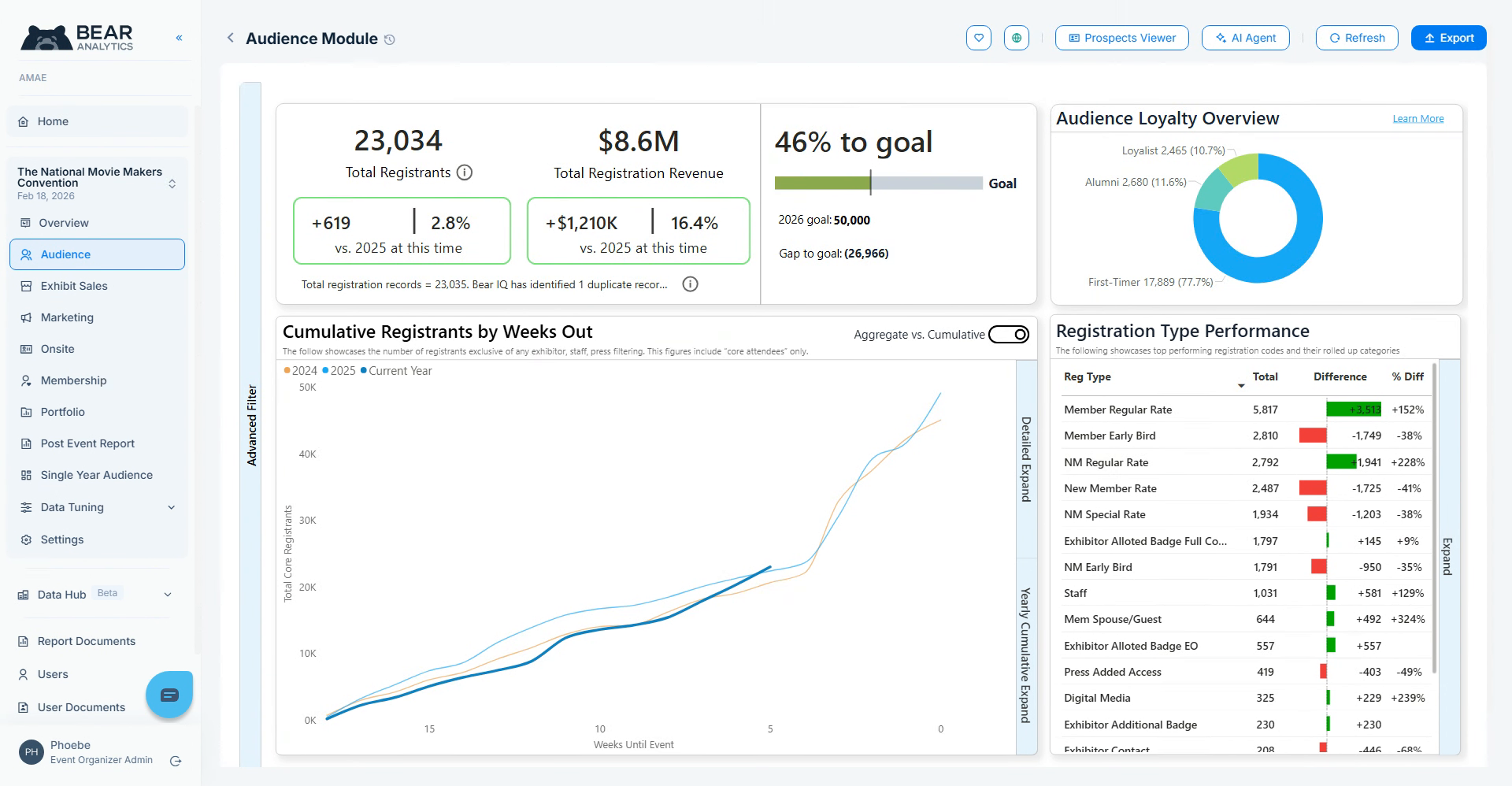
Access Prospects Viewer
To get started, navigate to your Audience Module and click on Prospects Viewer on the Top right corner.
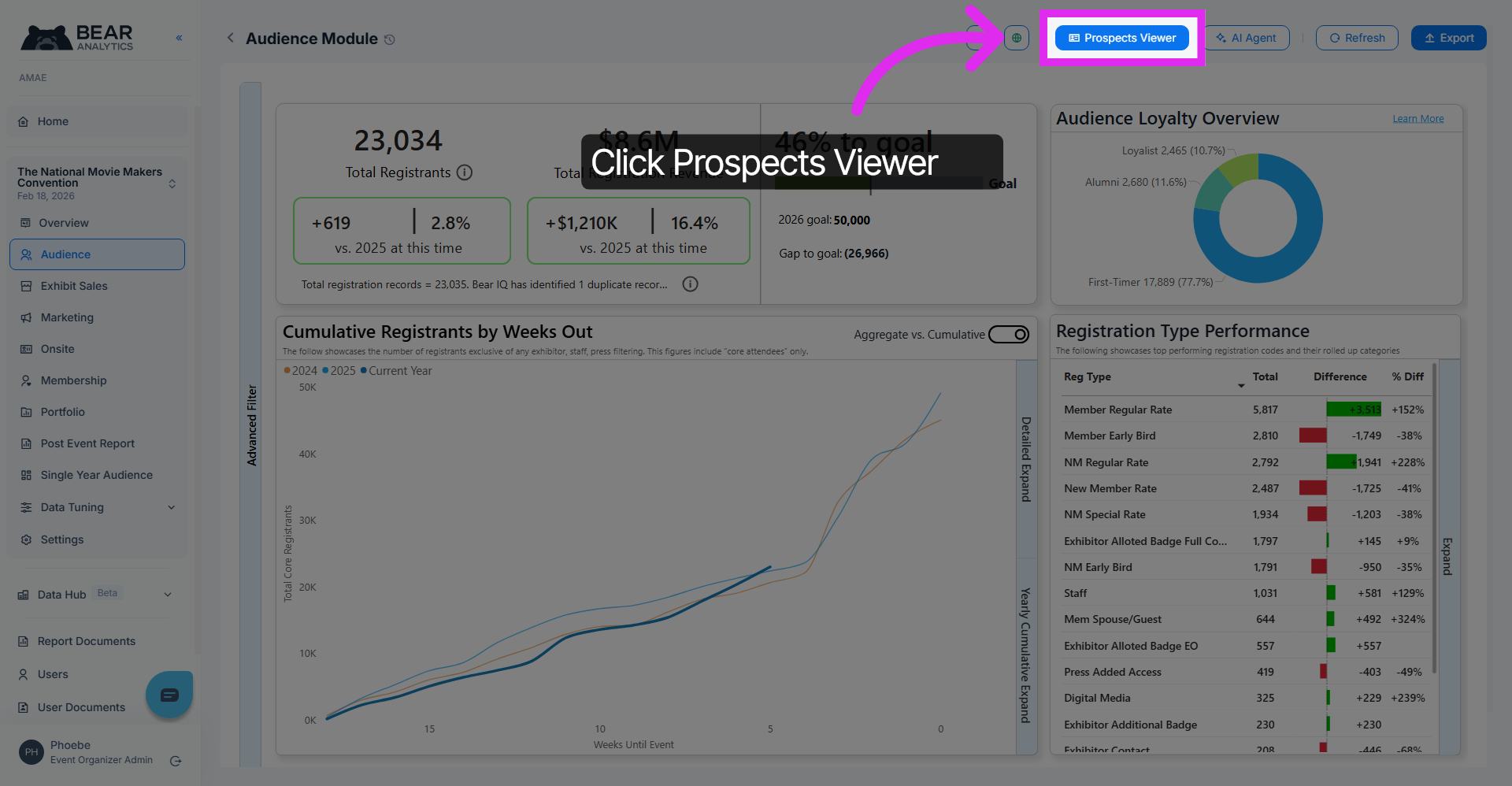
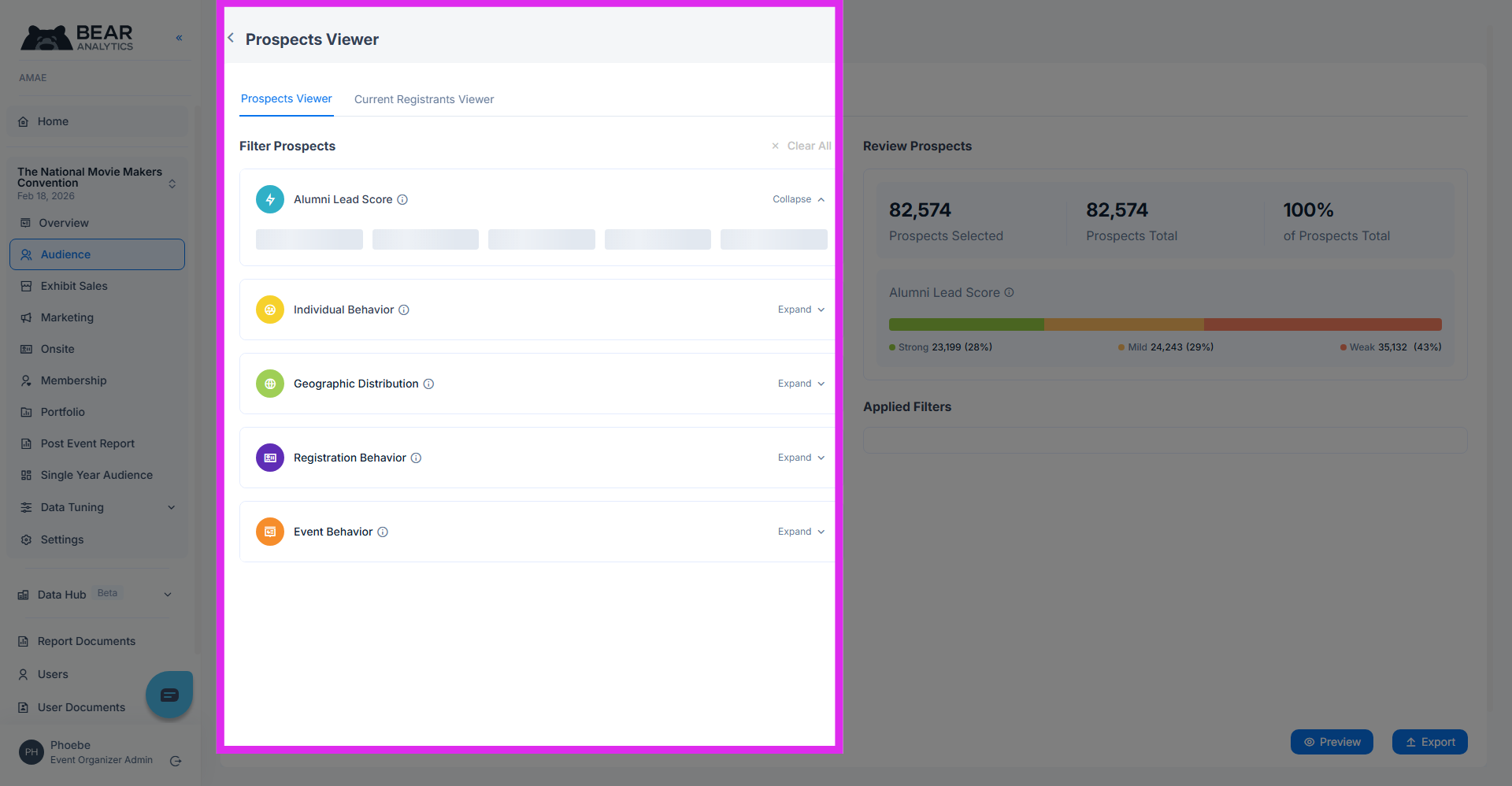
Filters and Options
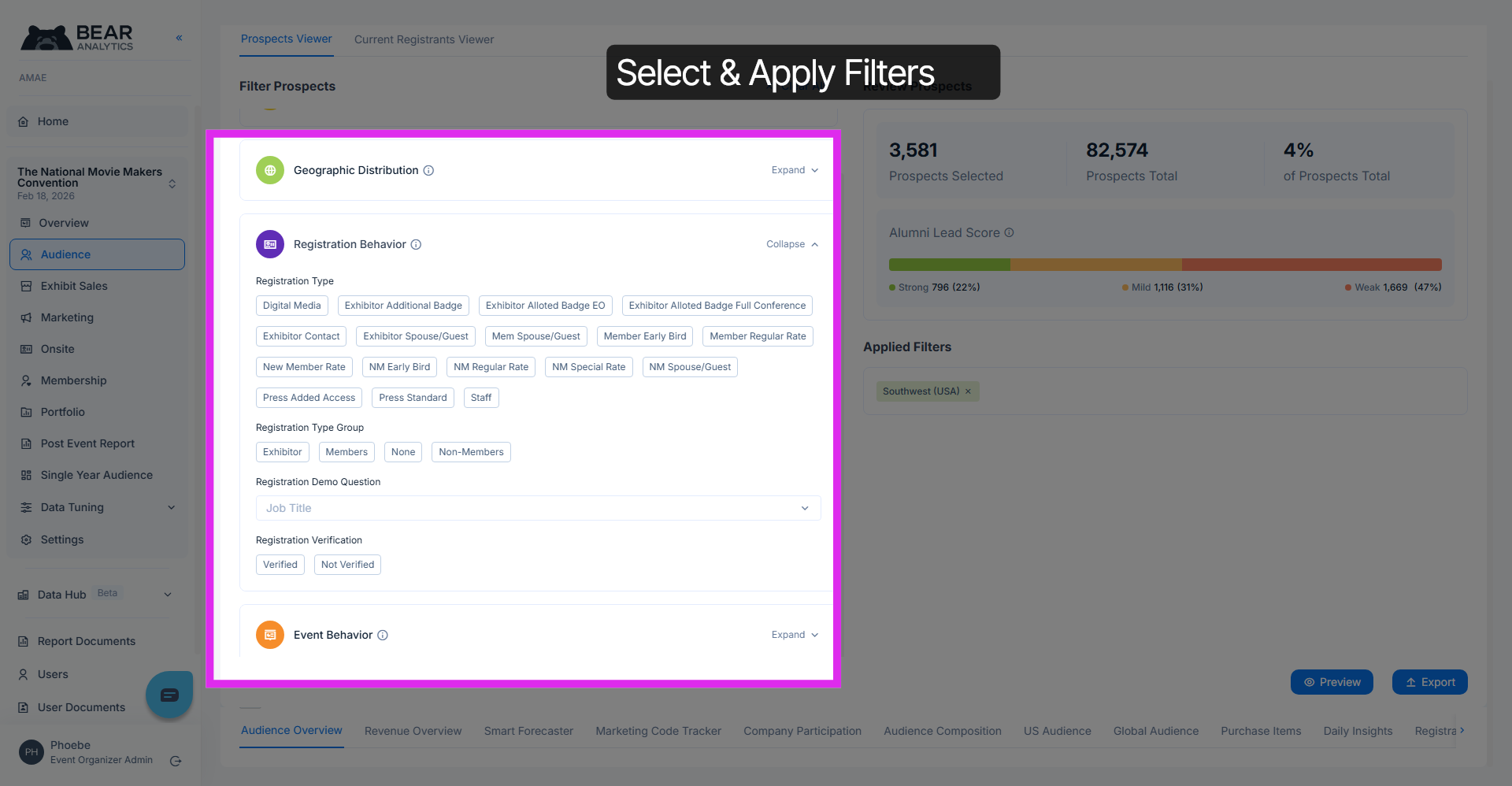
In the prospect viewer, you'll notice a range of available filters on the left hand side. These help you to refine and segment your data further in order to create targeted lists.
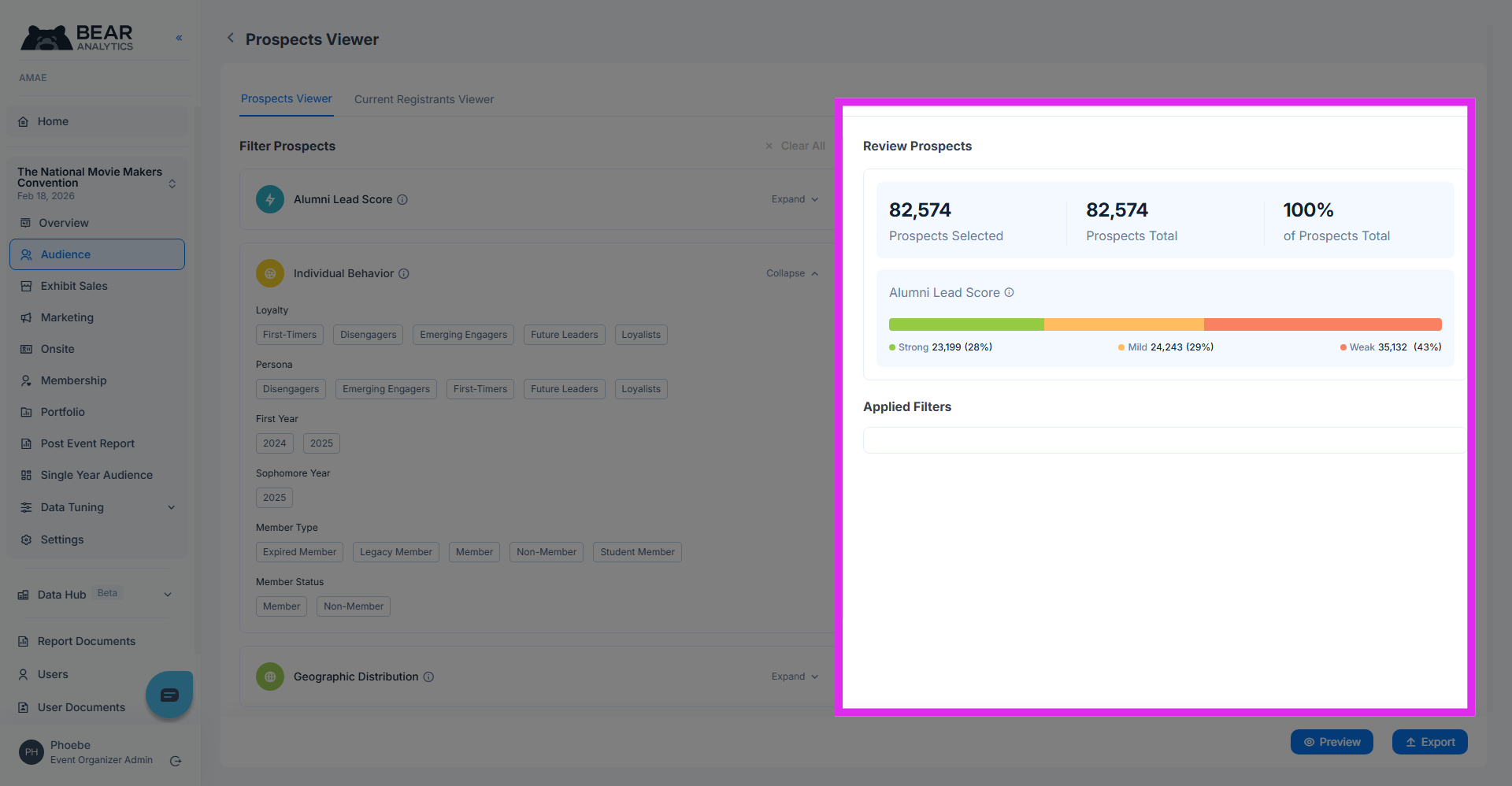
On the right hand side, you're able to see the total number of prospects that are selected, based on the filters applied, and their lead scores.
Let's start by applying some geographical and Registrant type filters.
Preview Selected Prospects
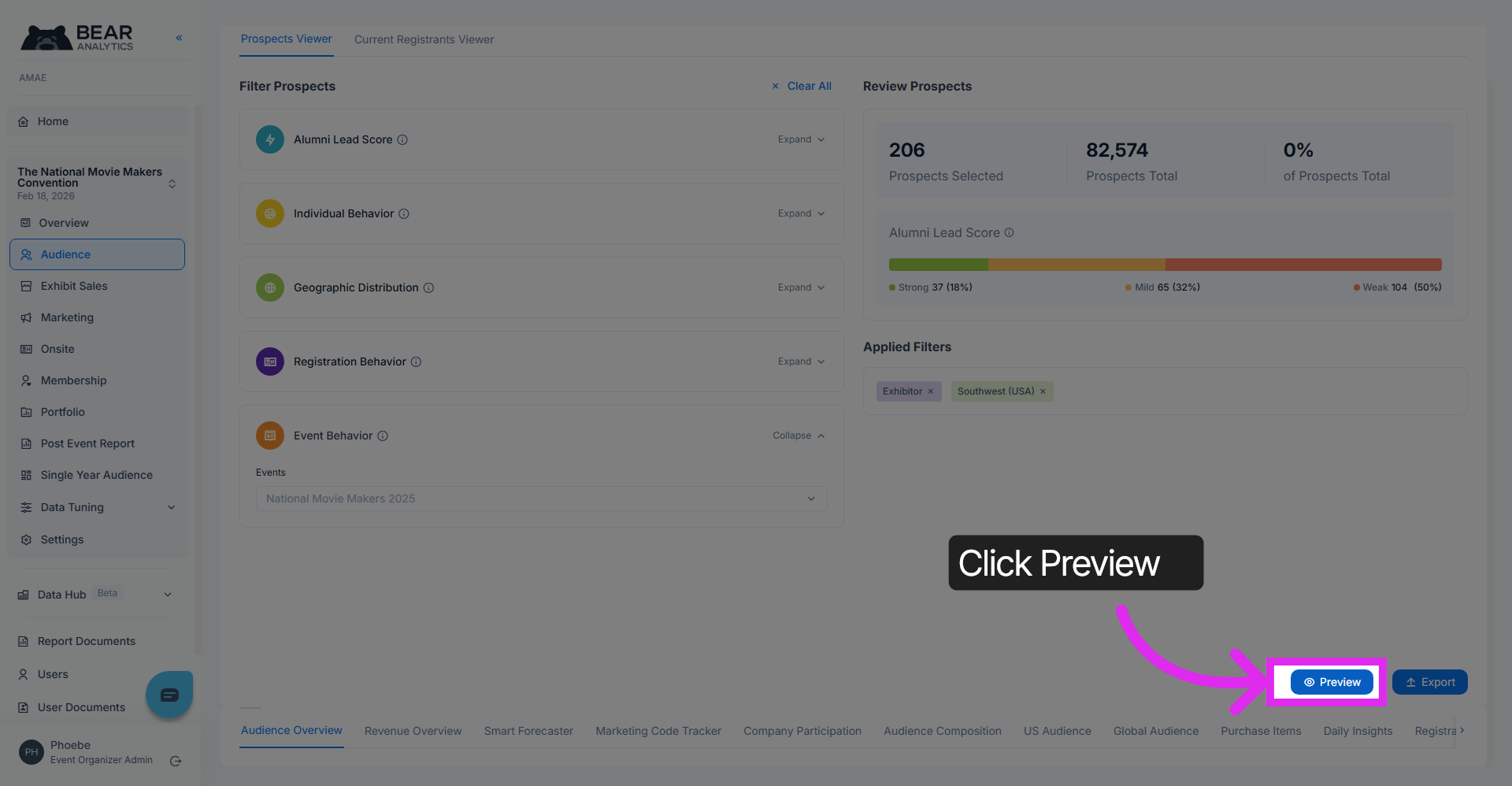
We now have 206 prospects based on our filters applied, that are ready to be exported into our marketing platform. You can also preview your list before exporting it. Click on the button in the bottom right corner to open up the preview pane.
Access Export Options
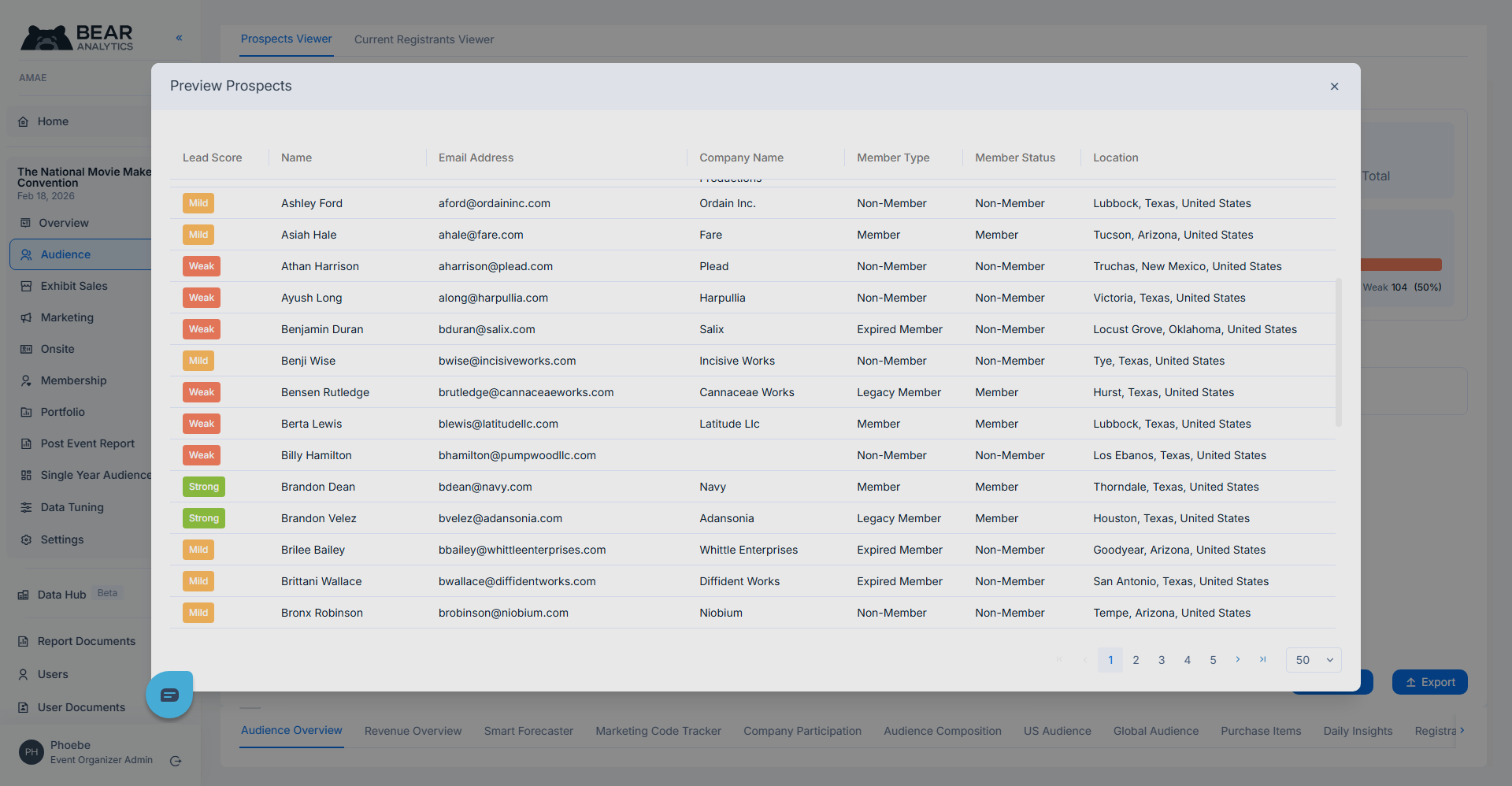
The preview list displays all your selected prospects along with their lead scores, email address and other details.
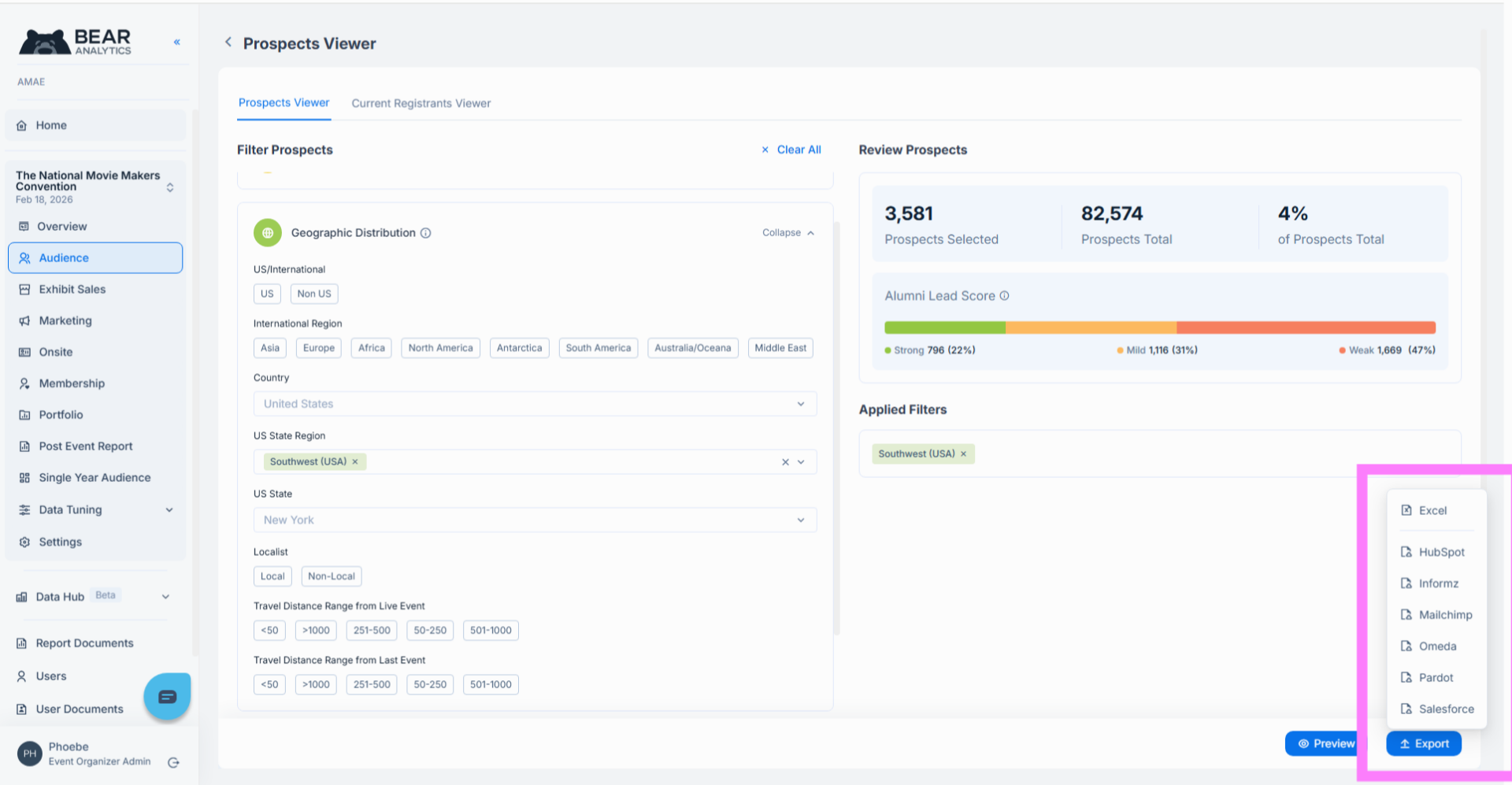
To export, click on the "export" button in the bottom right corner, and select your marketing platform from the list.
And That's it! You have now learnt how to successfully filter and analyze specific prospect segments using various behavioral and geographic filters. You can now review, preview, and export the refined prospect data directly into your marketing platform.