
This tutorial guides you through configuring your event start and registration dates, and goals in Bear IQ. You will learn how to adjust event settings to tailor your analytics dashboard effectively.
Login to your Bear IQ Dashboard at app.beariq.com
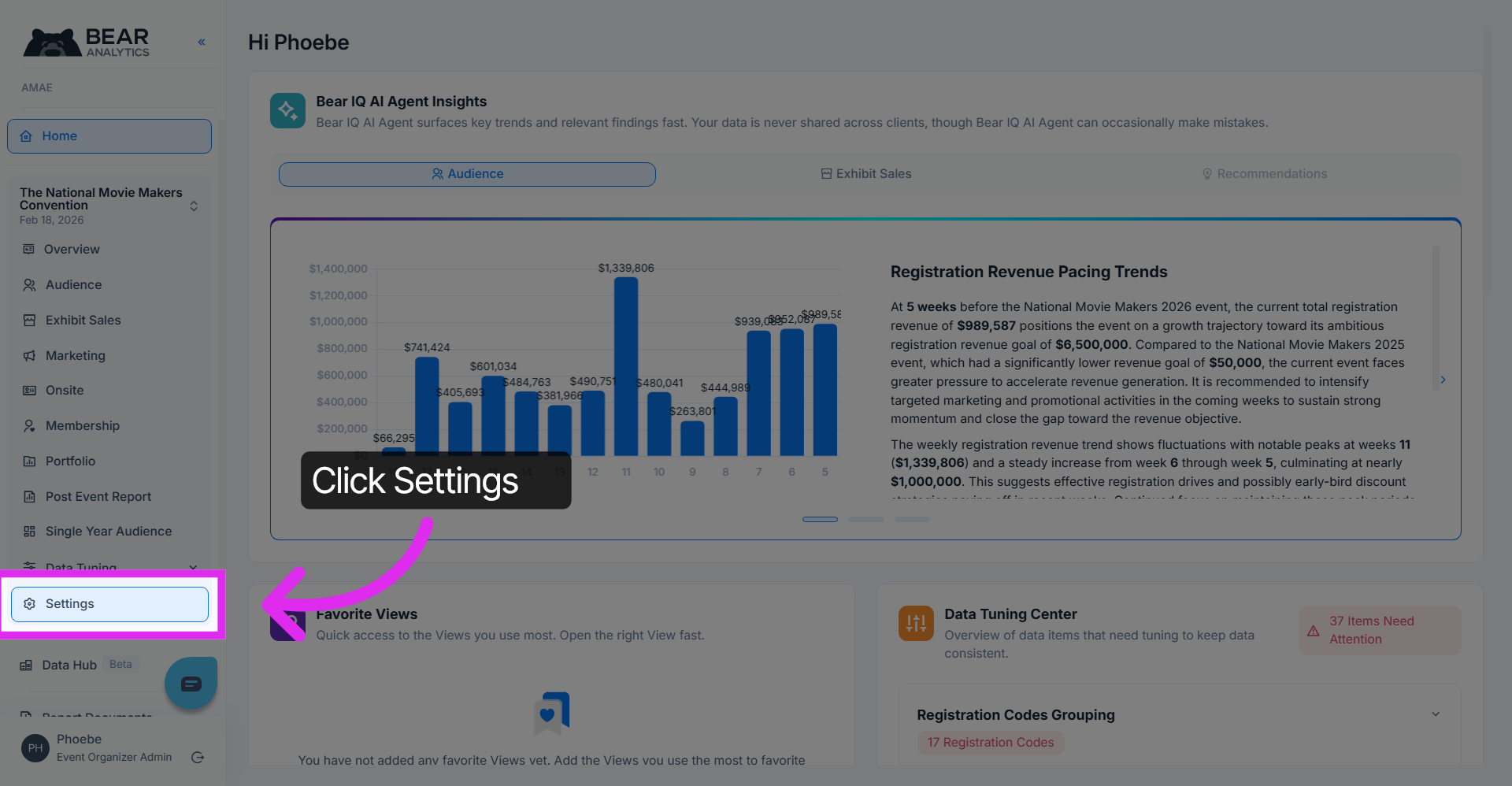
1. Access Settings Menu
Click the Settings option on the Bear IQ homepage to open the configuration menu.
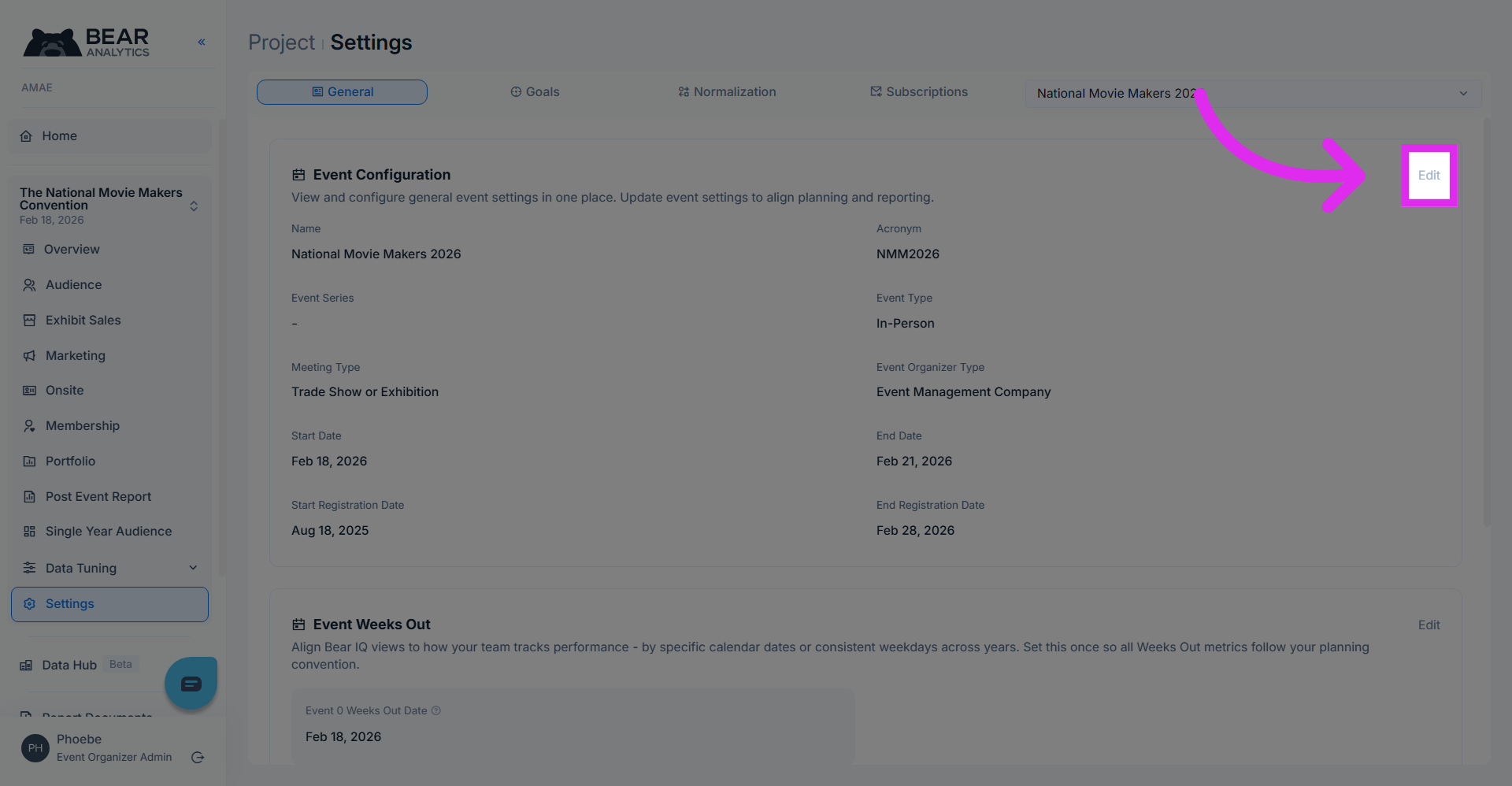
2. Open Edit Mode
Click the Edit button to modify the current settings.
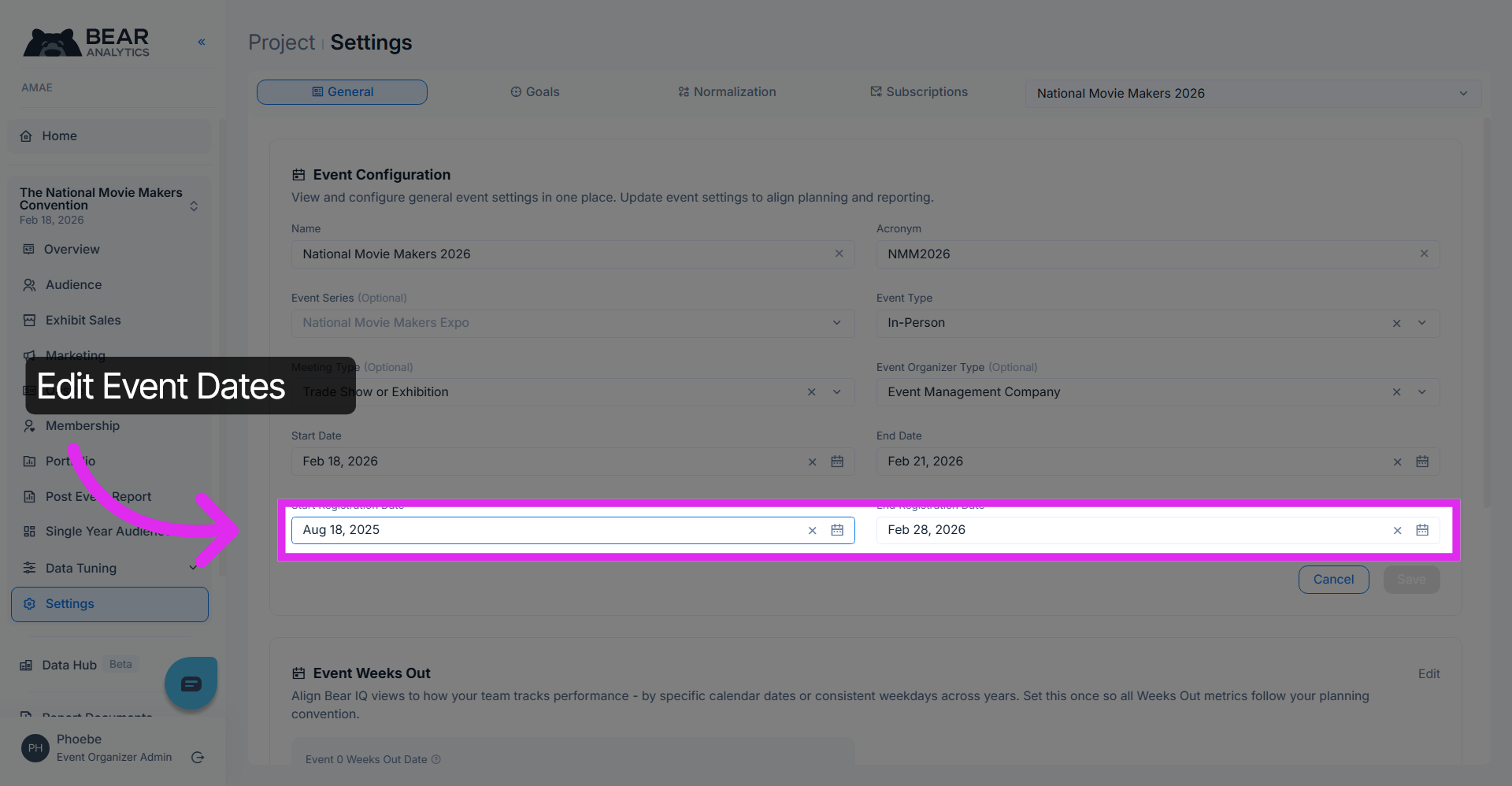
3. Modify Registration Start Dates
Here's where you can edit the registration start and end dates of your event
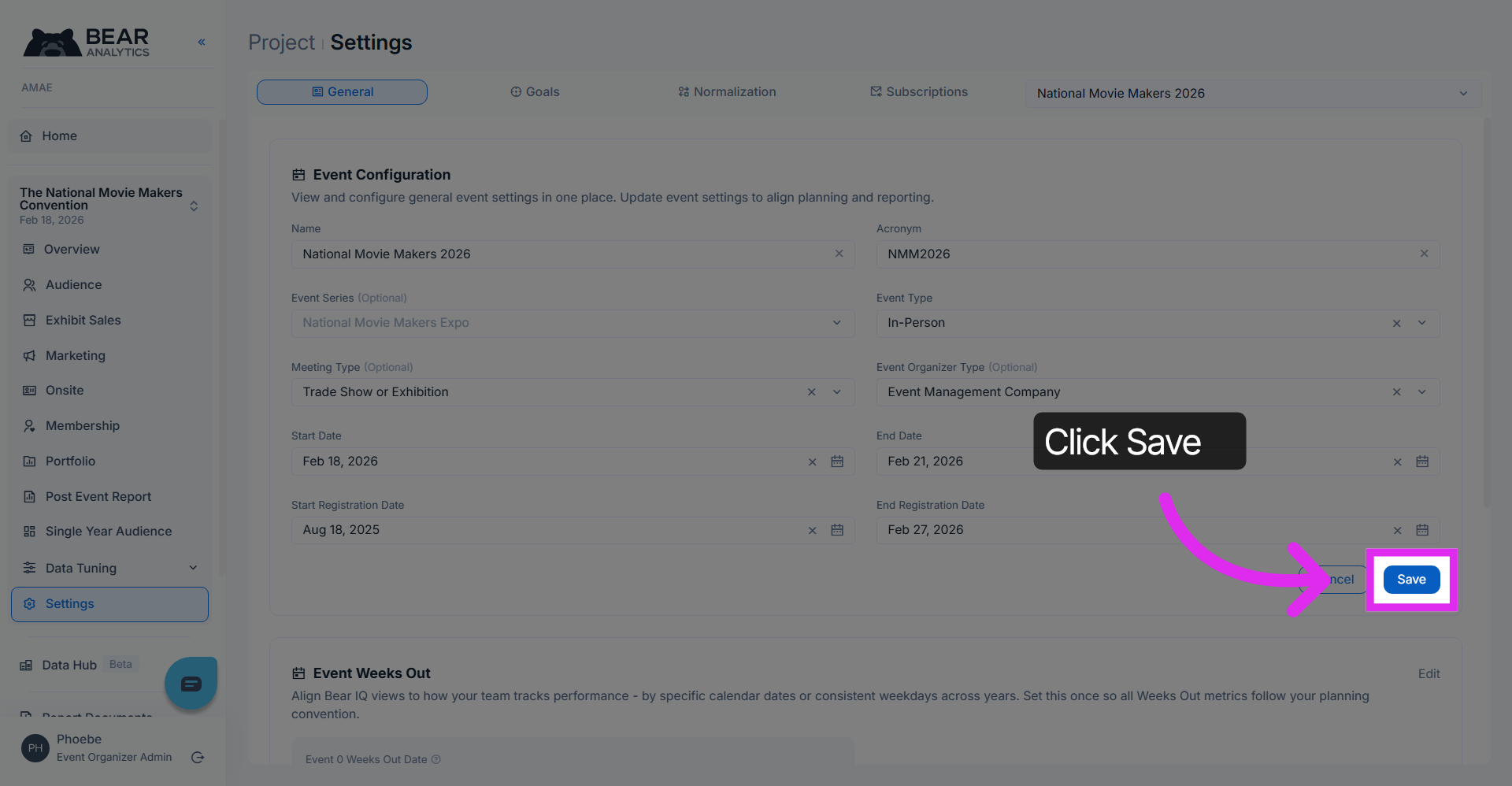
4. Save Date Range
Click the Save button to apply the selected date range settings.
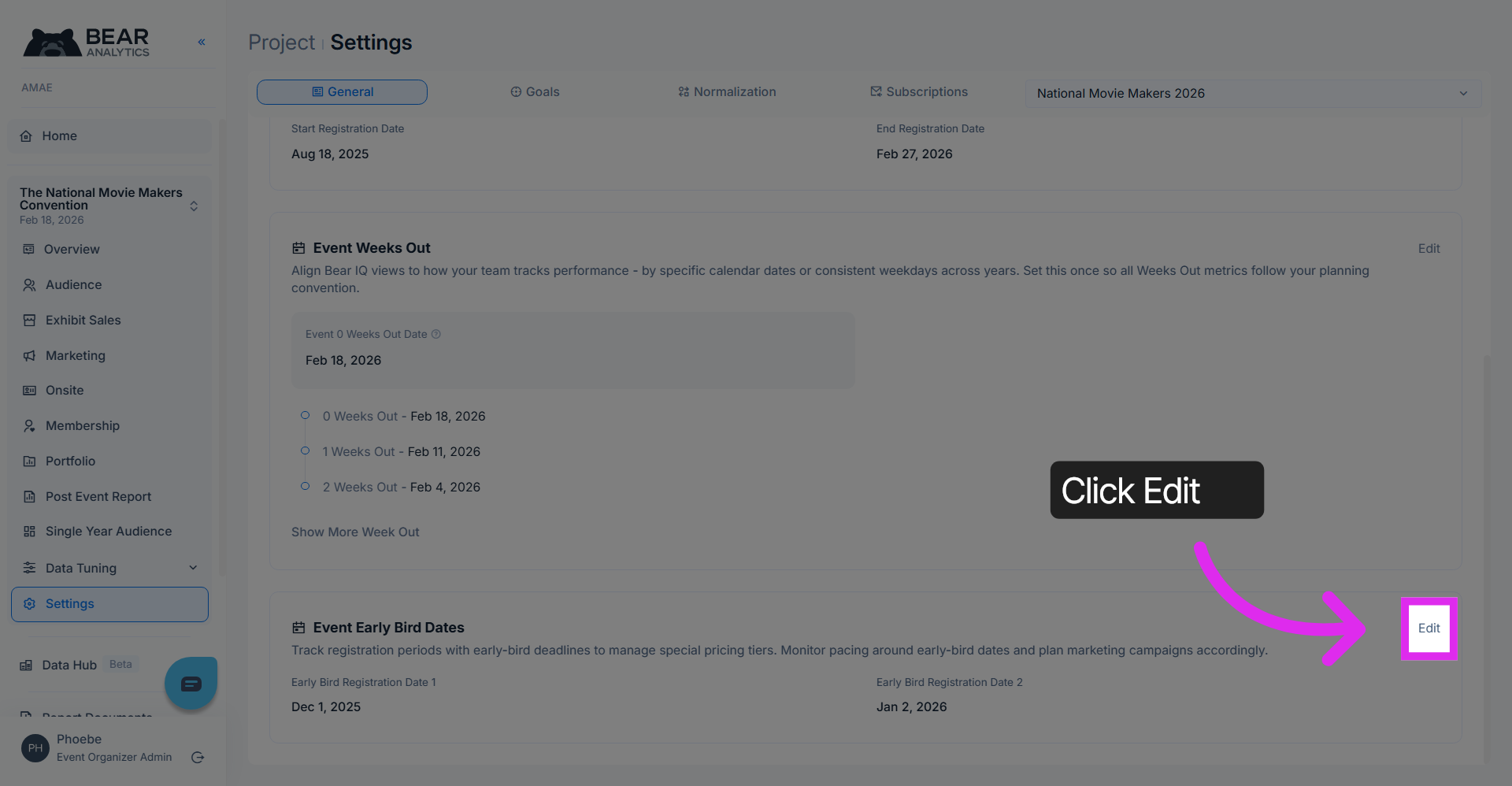
5. Modify Early Bird Dates
To add or modify the early bird dates of your event, click edit
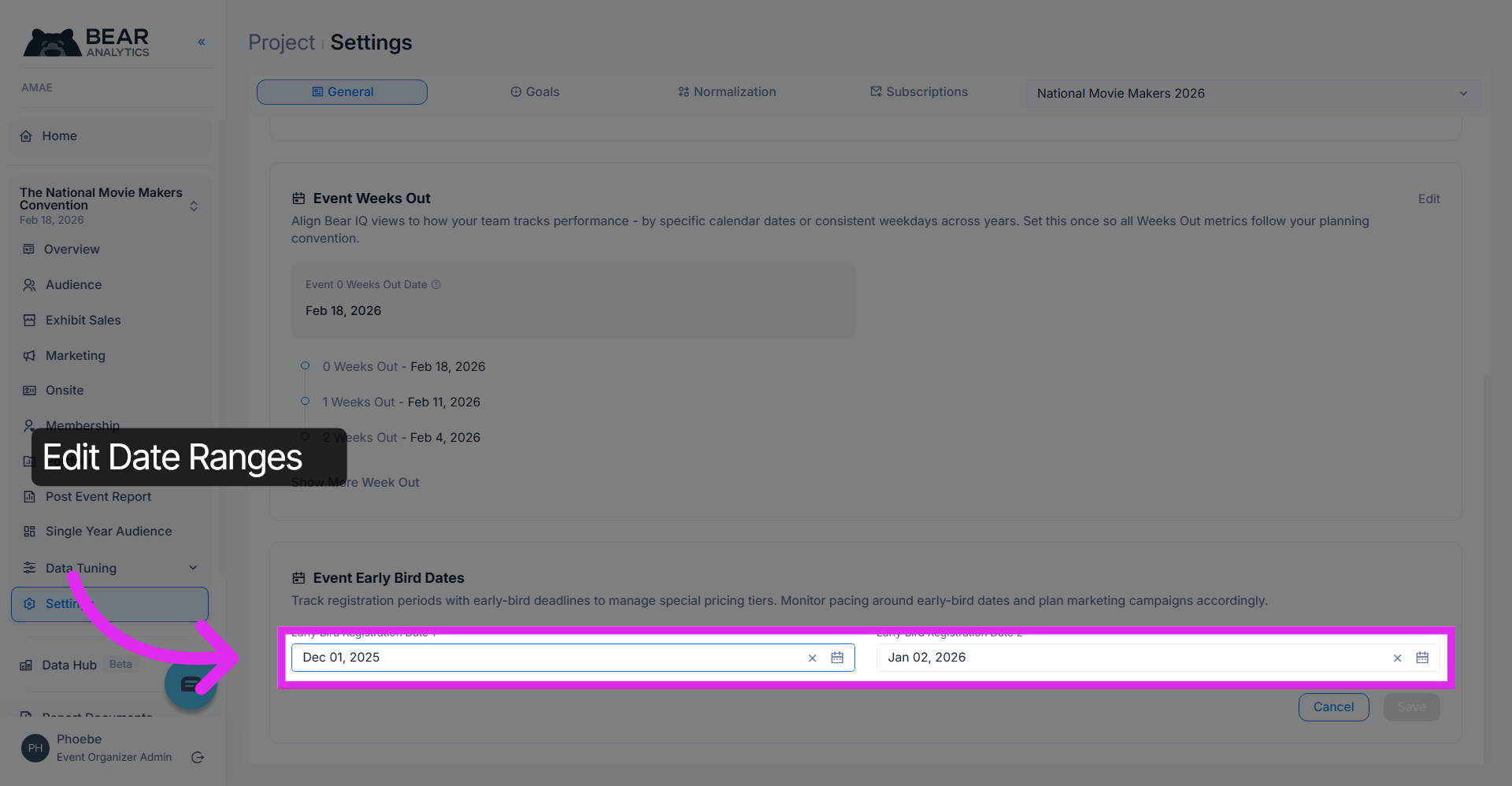
6. Select Date Ranges
Click to edit the date ranges for the early bird period of your event. Note that this date represents the deadline of your early bird period
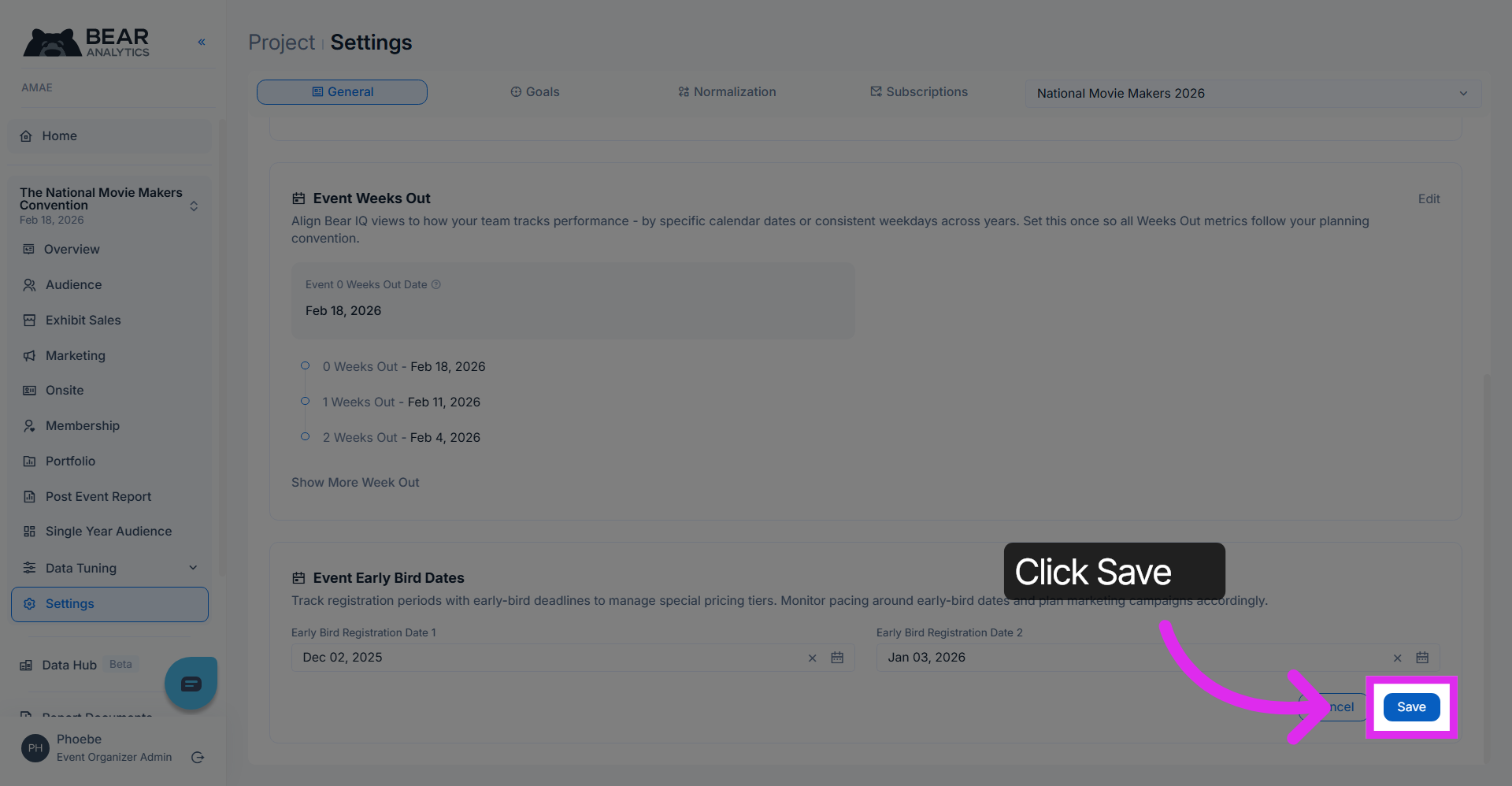
7. Save Updated Dates
Click the Save button to confirm and save the updated date range.
You have successfully configured the registration and early bird date ranges for your event in Bear Analytics. Review your settings to ensure accuracy and proceed to analyze your updated analytics dashboard for insights.