
This article provides insights into the Revenue Overview pane in Bear IQ, which is designed to offer a comprehensive analysis of your event's registration revenue. Users will learn how to utilize various features and metrics within the pane to gain a detailed understanding of their revenue performance and make informed decisions.
Tip: Utilize advanced filters to customize your revenue view and work with your Bear IQ account manager for tailored solutions.
Key Moments to look out for:
-
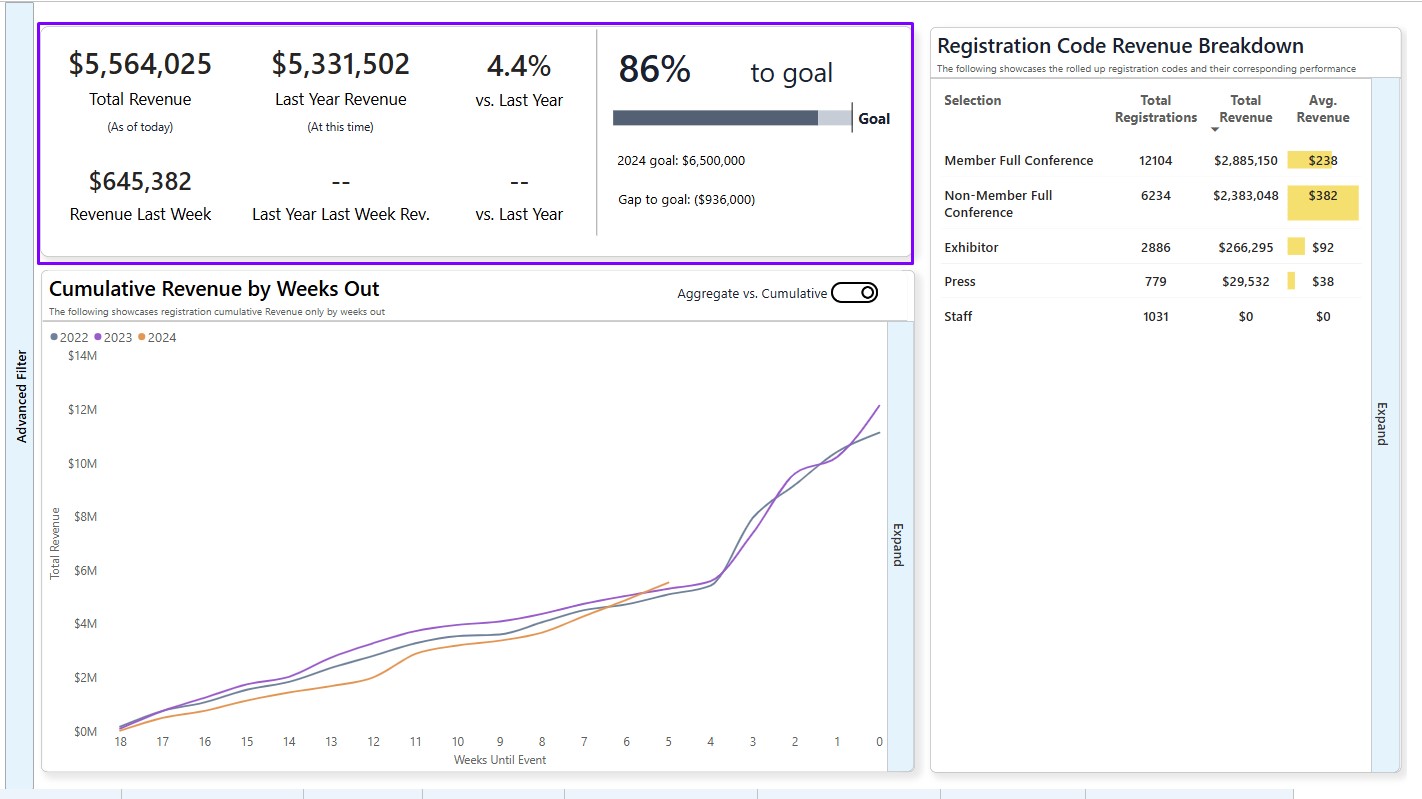
Understanding Revenue Metrics: Locate overall and weekly revenue metrics in the top left corner.
-
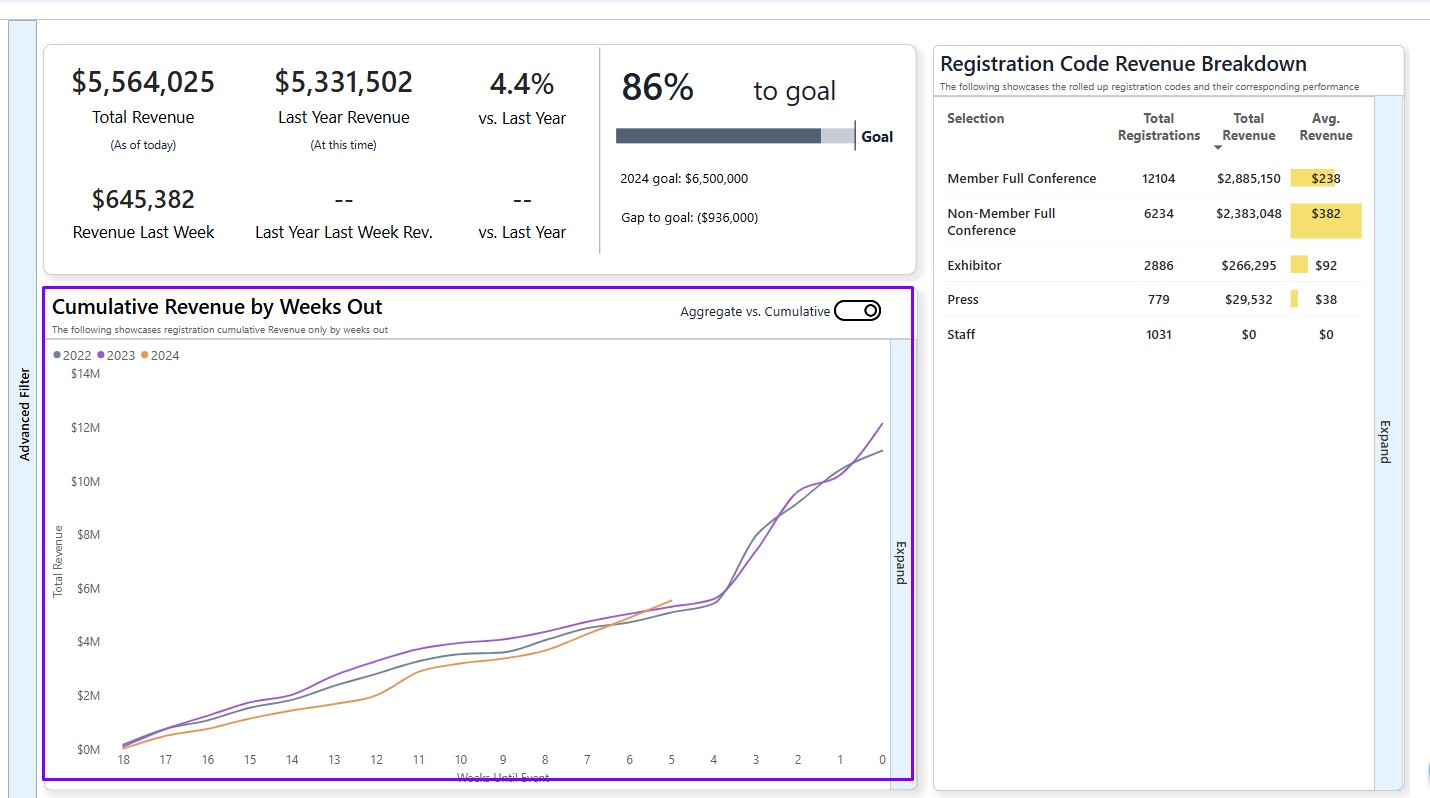
Exploring Cumulative Trends: Use the interactive line graph to view Cumulative Revenue by Weeks Out.
-
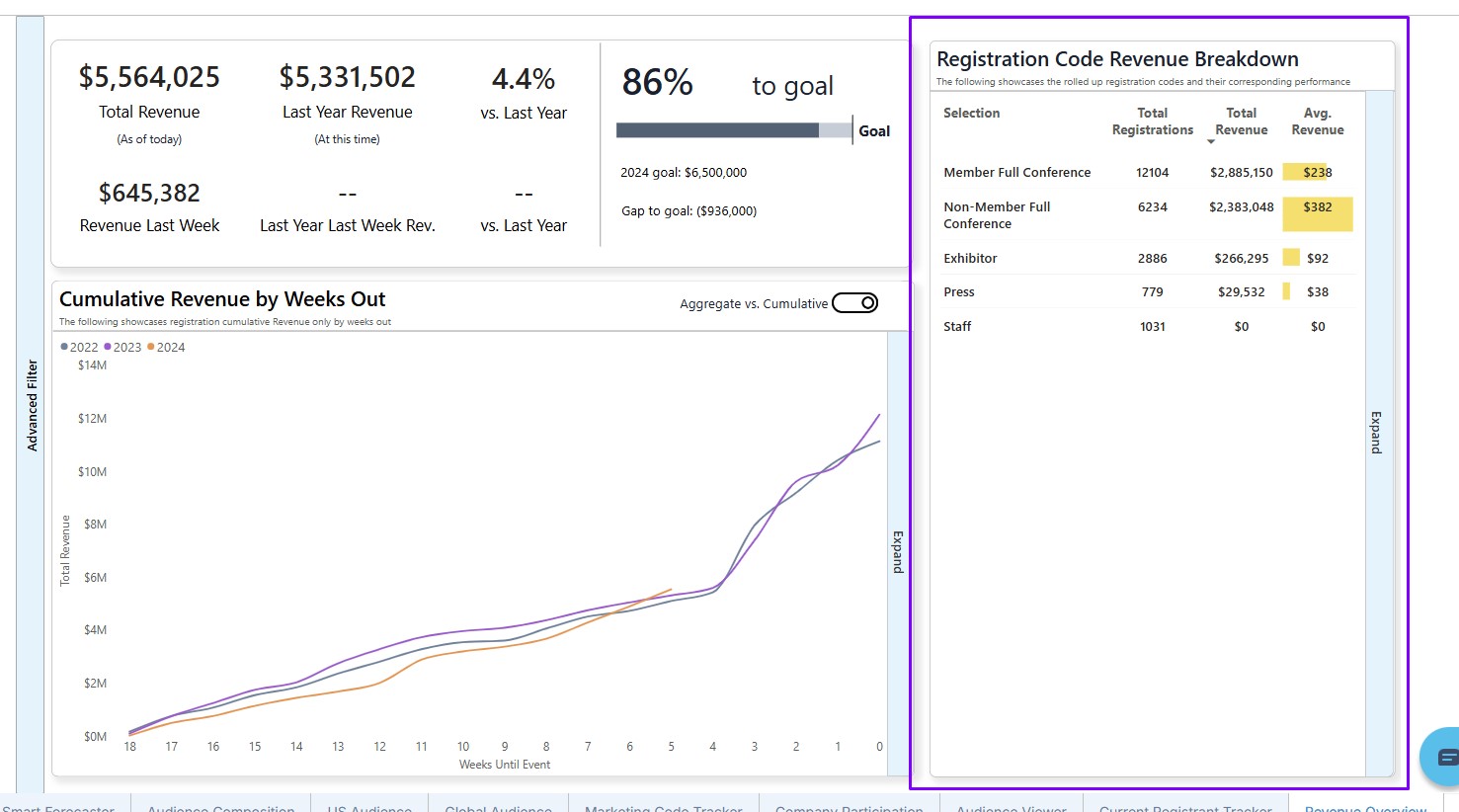
Analyzing Revenue by Type: Examine the Registration Code Revenue Breakdown on the right side of the dashboard.
Heads up: Enhance your financial insights by leveraging the detailed metrics and interactive features within the Revenue Overview pane for a customized analysis experience.
Exploring Features:
Overall and Weekly Revenue Metrics:
At the top left corner of the pane, easily access and compare your overall revenue to date and the previous week's revenue against historical events.
Interactive Line Graph:
Explore the Cumulative Revenue by Weeks Out by hovering over points on the interactive line graph located at the bottom left corner for detailed insights.
Registration Code Revenue Breakdown:
Dive into the right-hand side to find a breakdown showing both the overall and average revenue for each registration type.
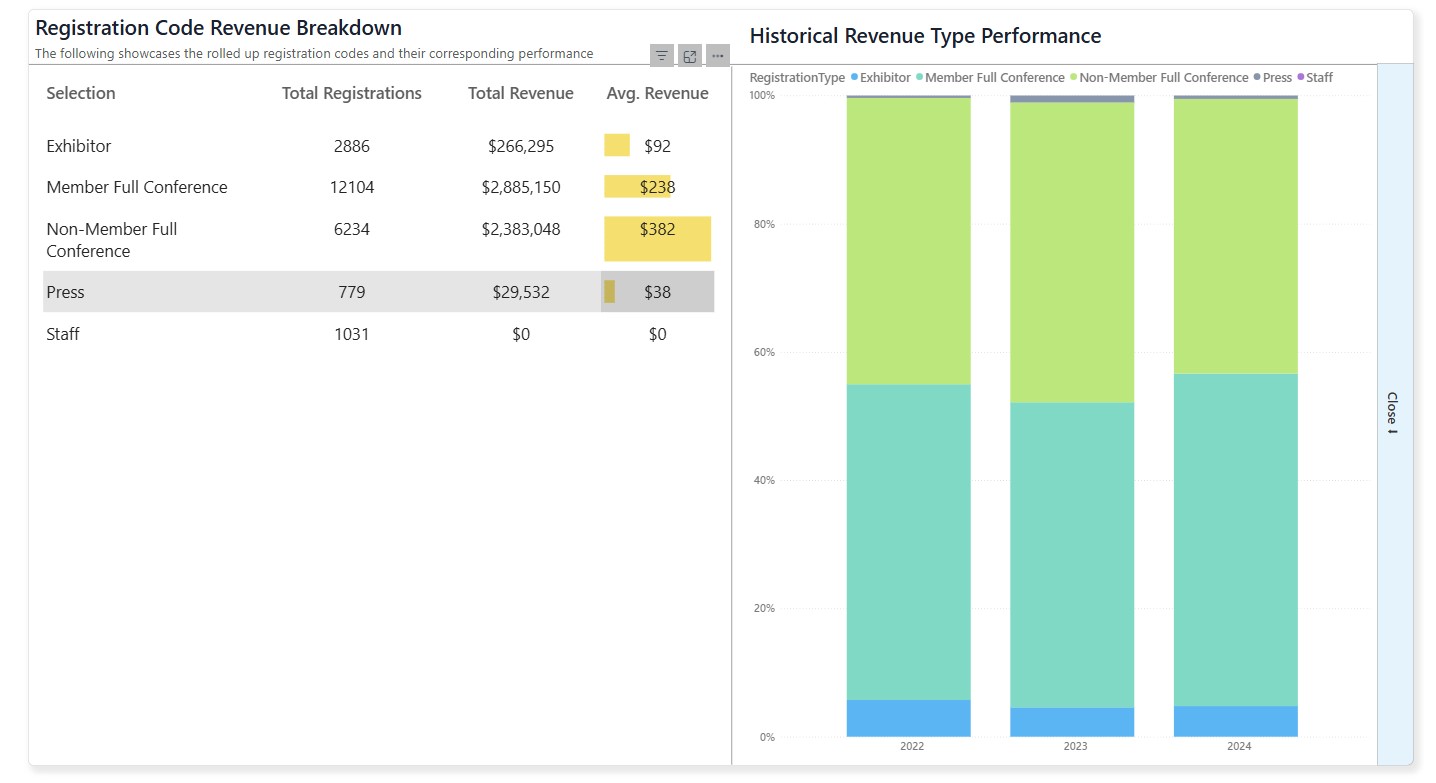
Detailed Composition View:
Enhance your understanding by clicking 'Expand' to get a detailed view of the revenue streams' composition.
Advanced Filtering Options:
For finer analysis, utilize advanced filters to exclude Comped records or those with a $0 value. Your account manager can assist in optimizing filter functionality to suit your needs.
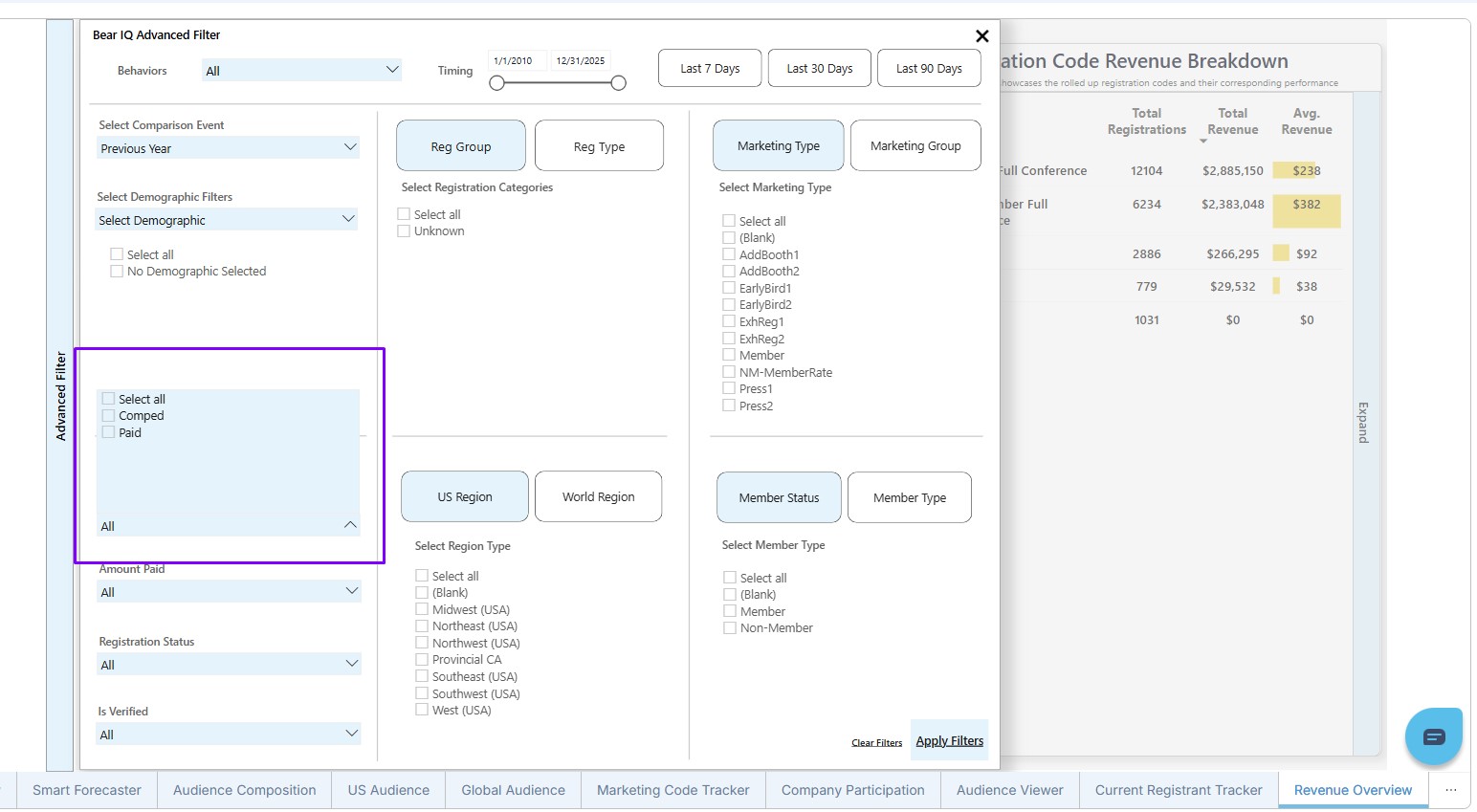
By effectively navigating the Revenue Overview pane, you gain comprehensive insights into your event's financial performance, enabling better revenue management and strategic planning.